MITAI invoicing
InvoiceFlow
AI invoice processing with DGII tax validation for the Dominican Republic.
InvoiceFlow turns a photo of an invoice into accounting-ready data and flags what needs a second look using tax rules. Invoices can arrive through the web or WhatsApp and go out to the DGII 606 report or an accounting system.
- Stars
- 95
- Forks
- 47
- Language
- Python / FastAPI
- License
- MIT
- 95
- GitHub stars
- 47
- forks: teams that took the code as a base
- 9
- export formats, including the DGII 606
- 44
- API routes and screens in a single FastAPI service
The challenge
In the Dominican Republic every supplier invoice is typed in by hand: name, RNC, NCF, date, base amount, ITBIS, and withholdings. It is slow work, and one wrong digit in the RNC or NCF shows up later as an error in the 606 report filed with the DGII.
Invoices also do not arrive in one place. Many are snapped by an employee with a phone out in the field and sent over WhatsApp, so the accountant gets loose photos that still have to be moved into the accounting system.
What we built
We built InvoiceFlow with FastAPI and SQLAlchemy. It takes images or PDFs through a web upload or an Evolution API webhook for WhatsApp, limited to authorized numbers. OpenAI reads the document and returns structured fields: supplier, RNC, NCF, dates, base amount, ITBIS, withholdings, and line items.
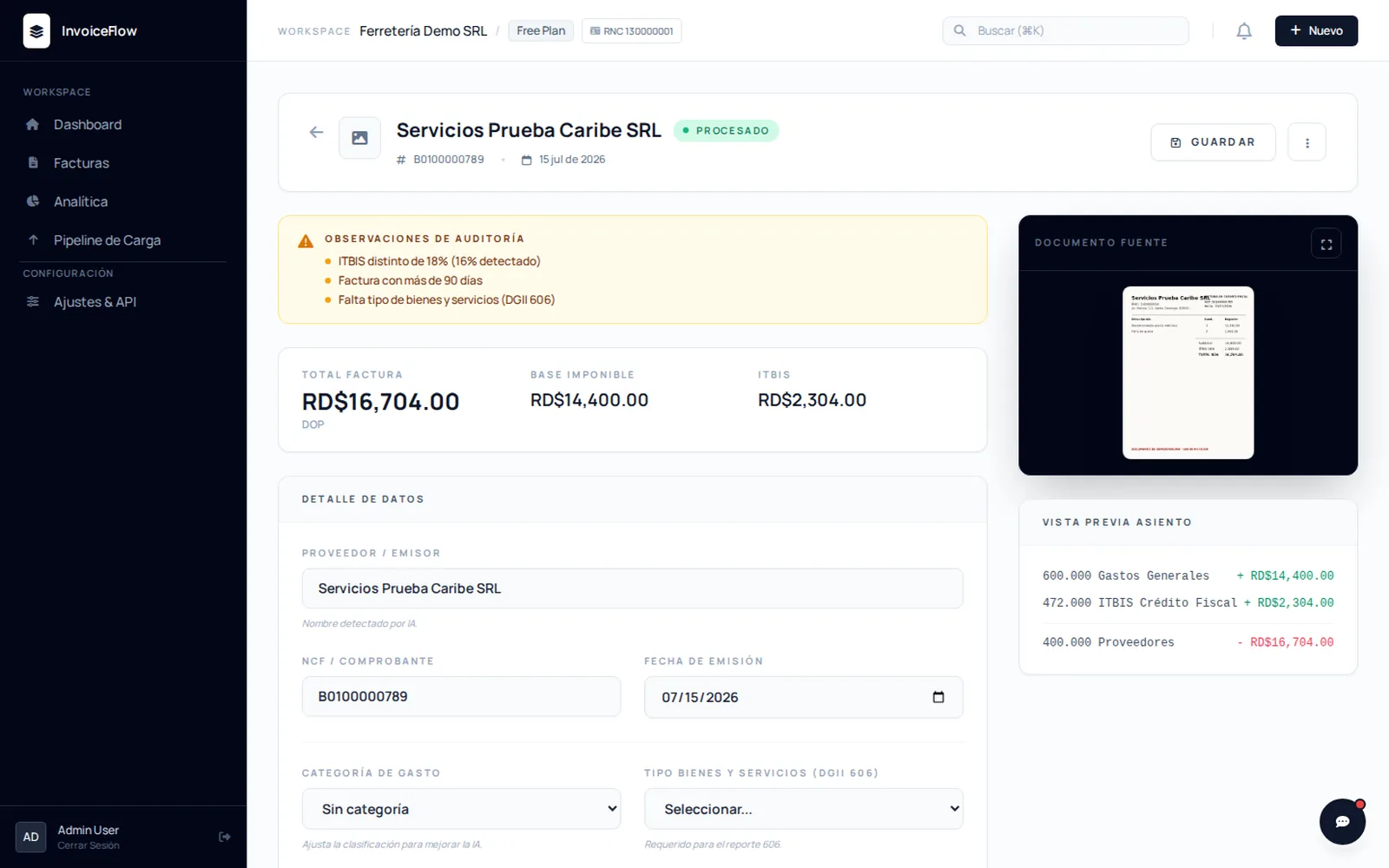
The AI does not have the final word. Tax rules written in code run on top of the extraction and flag what needs a human look: ITBIS outside 16% or 18%, invoices older than 90 days, a missing NCF or 606 goods and services type. Each invoice keeps its confidence score and its alerts in plain sight.
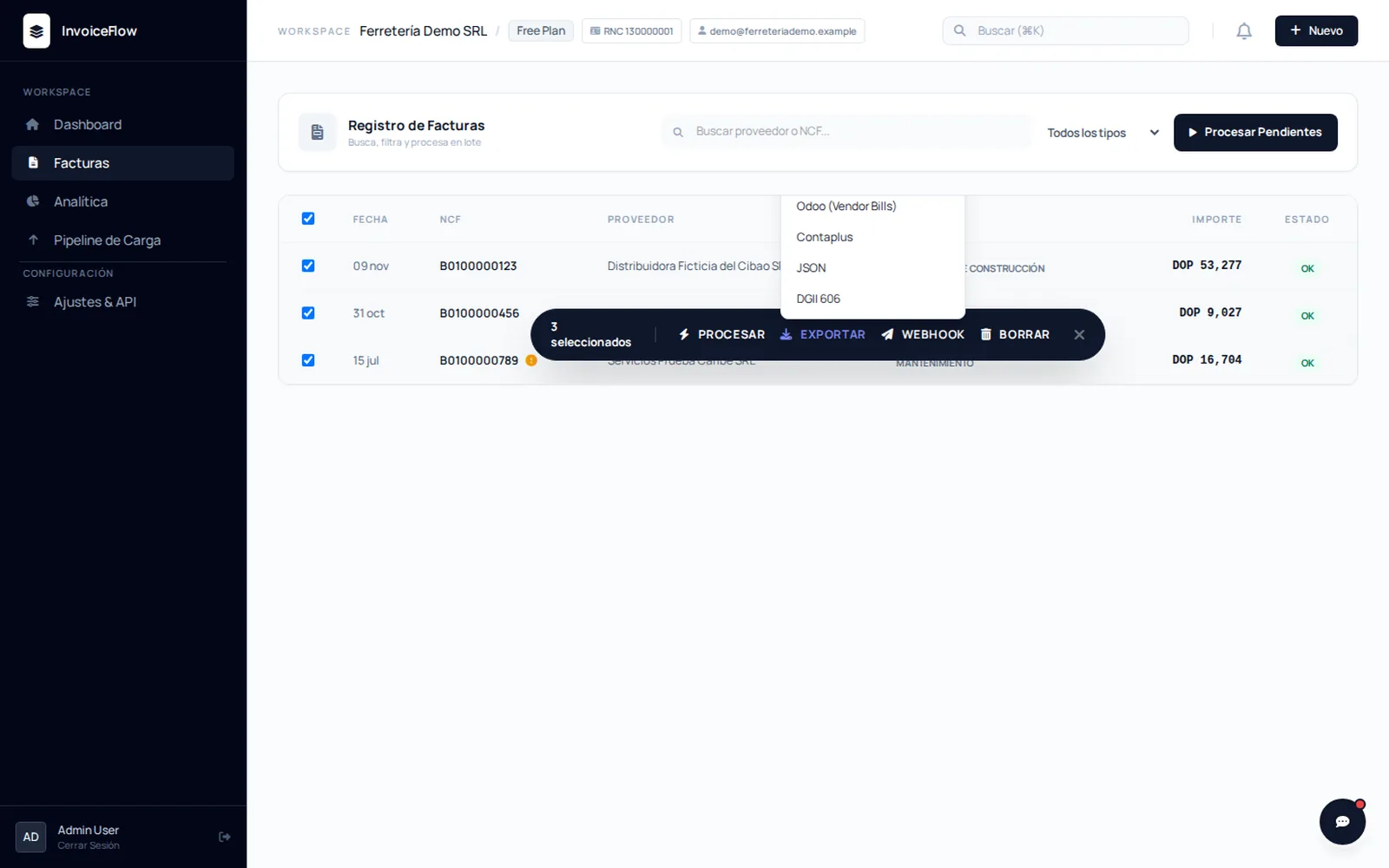
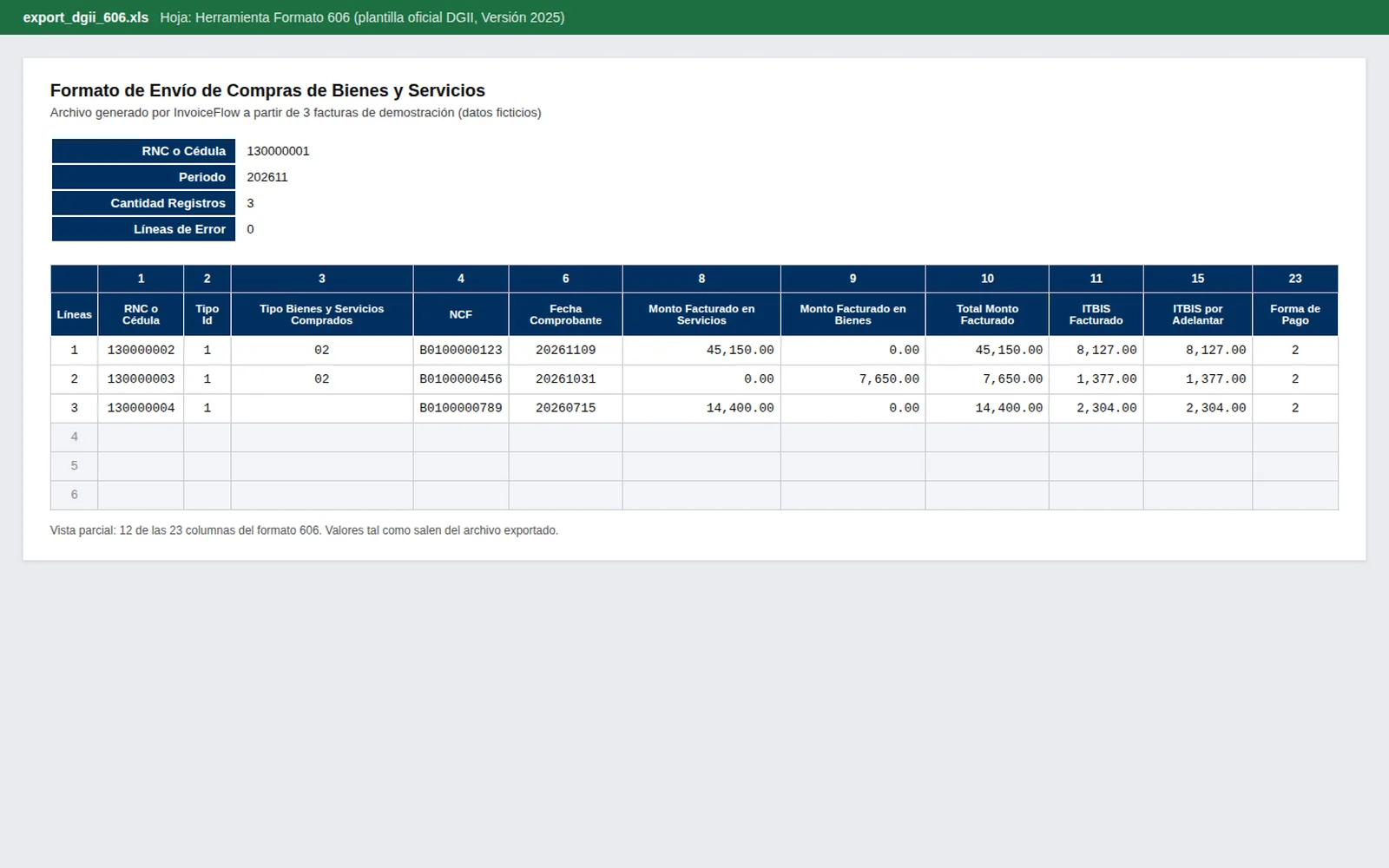
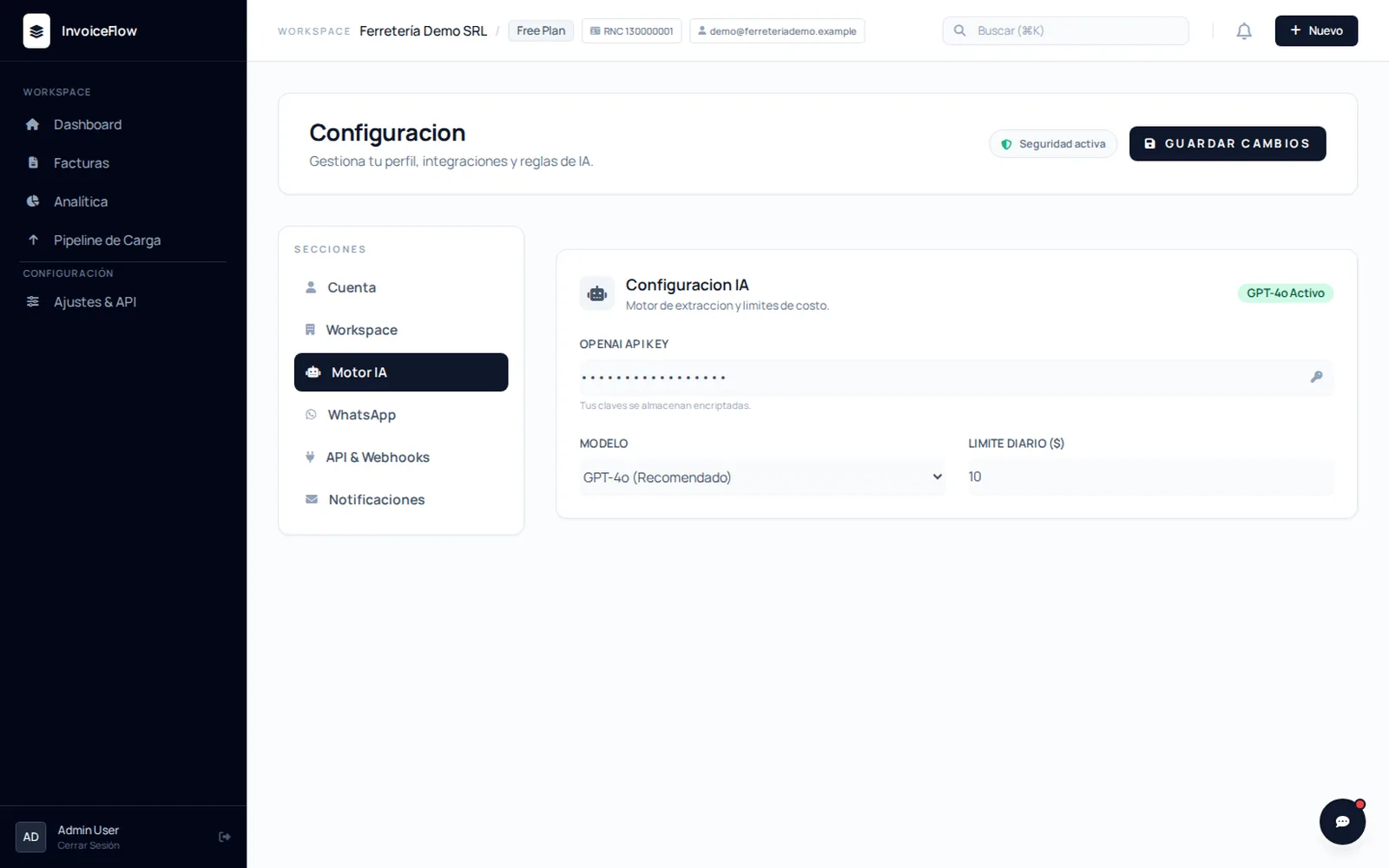
The output goes straight to accounting: the 606 is filled into the DGII's official Excel template, and there are exports to CSV, Excel, JSON, QuickBooks, Xero, Odoo, and Contaplus, plus outgoing webhooks. To keep the OpenAI bill in check, the system has a daily dollar cap and an hourly request cap.
What it looks like
WHO IT'S FOR
- Dominican businesses that receive many supplier invoices and type them in by hand for the 606 today.
- Accounting firms that handle several companies and want invoices to arrive over WhatsApp instead of as loose photos.
- Developers who need a base with the RNC, NCF, and ITBIS rules already written to build their own product.
WHAT IT DOES
- OpenAI extraction of supplier, RNC, NCF, ITBIS, withholdings, totals, and line items from images or PDFs.
- Automatic audit: alerts for missing data, ITBIS outside 16% or 18%, and invoices older than 90 days.
- WhatsApp intake through Evolution API, limited to authorized numbers and with a status reply.
- Exports to the DGII 606 format and to CSV, Excel, JSON, QuickBooks, Xero, Odoo, and Contaplus.
- OpenAI cost control with a daily dollar limit and an hourly request limit.
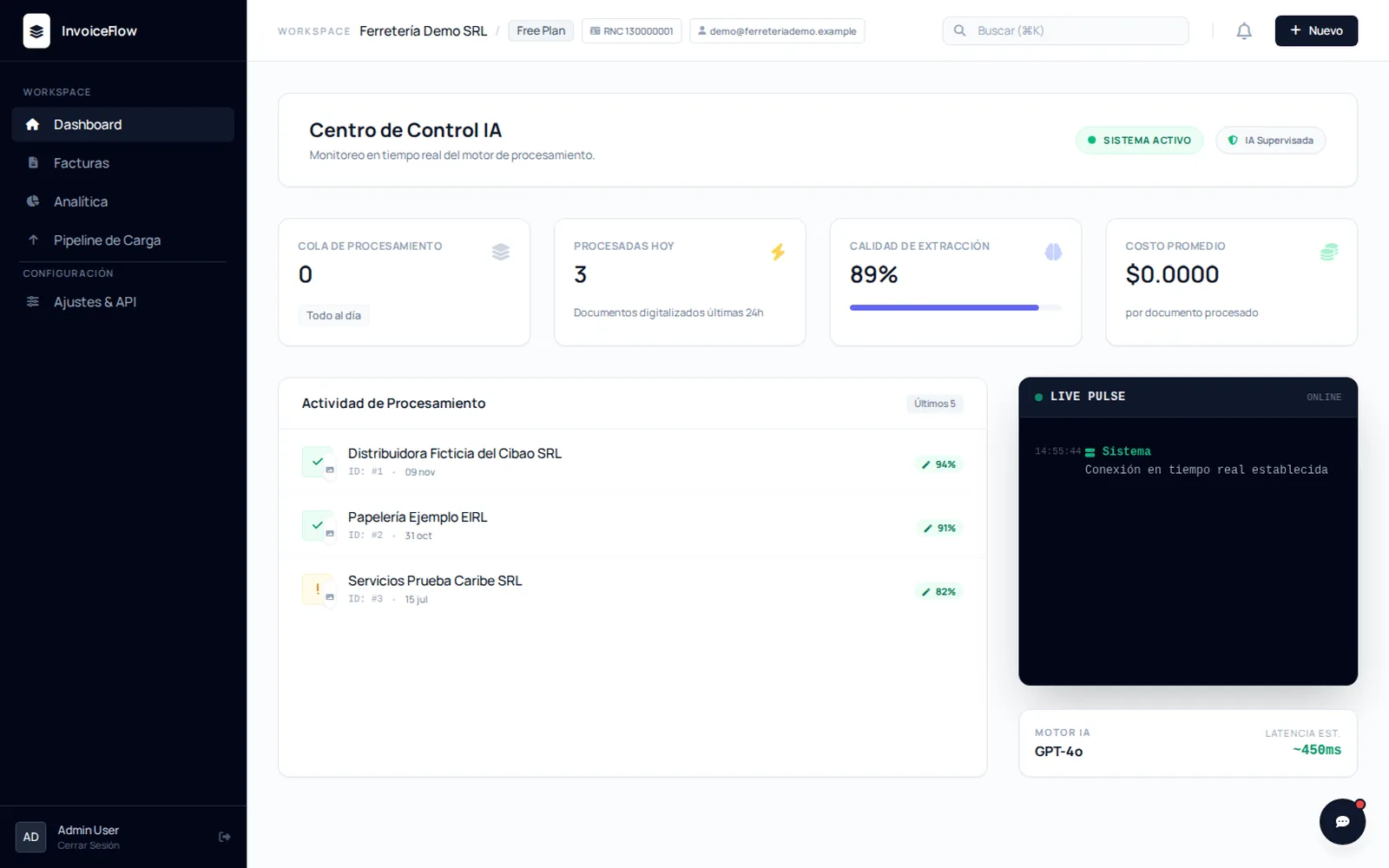
- A dashboard with real-time WebSocket updates and outgoing webhooks to other systems.
How it's built
- Intake The invoice arrives by web upload or through the Evolution API WhatsApp webhook.
- Deduplication Redis drops repeated messages, applies per-IP rate limits, and caches stats and settings.
- AI extraction openai_service.py reads the image, structures the fields, and applies the DGII tax validations.
- Storage SQLAlchemy stores invoices, users, and organizations in SQLite or PostgreSQL.
- Output A WebSocket dashboard, outgoing webhooks, and export_service.py for the 606 and accounting formats.
Stack
FastAPIPythonOpenAIWhatsAppSQLAlchemyPostgreSQLRedisWebSocketsTailwindAlpine.js
Why we built it
It comes from a real pain for Dominican businesses: typing in invoices and staying DGII compliant. It shows how Taveras Solutions combines AI, local tax rules, and WhatsApp in one flow.
Getting started
pip install -r requirements.txt
cp .env.example .env  # OPENAI_API_KEY, SECRET_KEY and admin user
python check_db.py
python main.py  # open http://localhost:8000
WHAT WE LEARNED
- AI extracts, but tax rules decide. Keeping the RNC, NCF, and ITBIS checks in code rather than in the prompt makes the alerts predictable and easy to audit.
- Filling the DGII's official template works better than inventing a format: the accountant opens the file they already know and validates it with the usual tool.
- A service that calls a paid API needs caps from day one. The daily dollar limit and the hourly request limit are part of the product, not an add-on.
Need something like this built for you?
We use these same tools in our client projects.
Other open source projects
- SaaS starter django-saas-boilerplate A Django 6 SaaS starter: email login, Stripe subscriptions, a dashboard, CSP, and 67 tests. Ready to deploy.
- macOS app ModelNap A menu bar app that puts idle local Ollama models to sleep and gives your Mac its memory back. Signed and notarized.
- Python / Django SocialStarter A Django template for social networks: profiles, feeds, and notifications.